
Inventory Management
An item catalog that prices its own cost of goods sold. Every purchase and sale posts to the same ledger, automatically.
Key Capabilities
Stock and cost of goods sold, in one ledger
Item Catalog
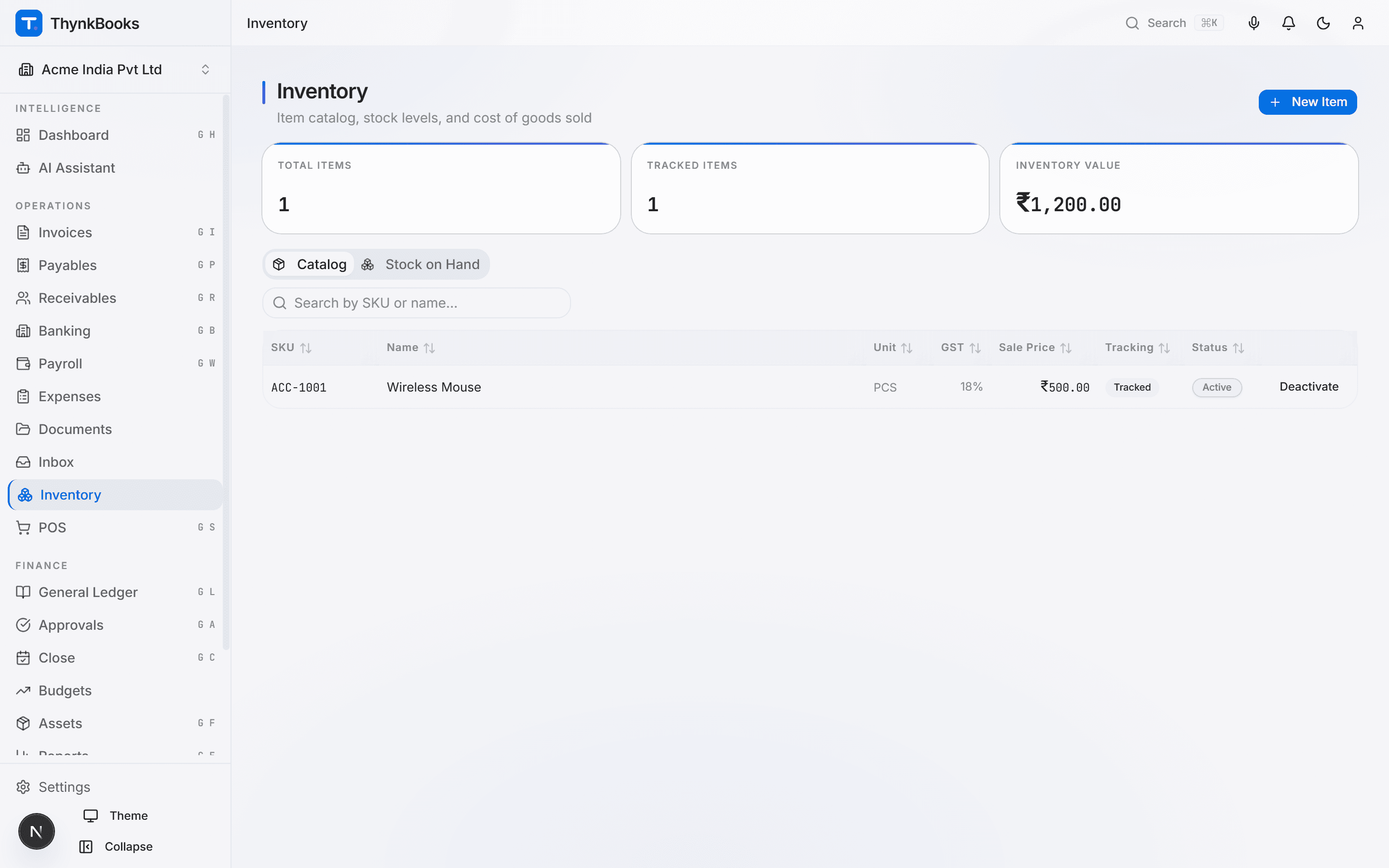
Maintain a catalog of SKUs with HSN code, default GST rate, and sale price. Mark an item as a service to reuse its description and pricing without tracking stock for it - no separate product database.
FIFO or Weighted-Average Costing
Choose the costing method per entity. ThynkBooks replays the full movement history to price every sale at the moment it happens, so the cost recognised always matches how that method actually values stock.
Automatic Stock Receiving
Reference an item on a purchase bill and ThynkBooks debits Inventory instead of an expense account, at the price actually paid - no separate goods-receipt step, no manual stock-in entry.
Automatic COGS Posting
Every sale that references a tracked item - through Accounts Receivable or a POS terminal - prices its own cost from movement history and posts Cost of Goods Sold in the same journal entry as the revenue and tax lines.
Real-Time Stock on Hand
Quantity and value on hand, per item, computed from the same stock movements that post to the ledger - so the inventory view and the General Ledger are never two systems to reconcile.
One Catalog, Every Module
The same item catalog feeds Accounts Payable purchases, Accounts Receivable invoices, Sales Order quoting, and Point of Sale - price and describe an item once, sell it anywhere.
How It Works
From purchase to sale in three steps
Build Your Catalog
Add items with a SKU, HSN code, and default GST rate. Set a sale price for products you stock, or mark an item as a service if it should never move inventory. Pick FIFO or weighted-average costing for the entity.
Receive Stock
Post a purchase bill against an item line and ThynkBooks records the stock-in automatically, valued at what was actually paid - already converted to your functional currency if the bill was foreign.
Sell and Reconcile
Sell the item through an invoice or a POS terminal. ThynkBooks prices the cost from movement history and posts it alongside the sale, so stock value and the ledger move together, always.
Integrations
Connected to your back office
A purchase bill against an item debits Inventory; a sale - through Accounts Receivable or POS - credits it and posts Cost of Goods Sold, in the same journal entry as the rest of that transaction.
Stop reconciling stock by hand
Set up your item catalog in minutes. Cost of goods sold posts itself from there.