
Banking & Reconciliation
Automatic bank reconciliation that turns hours of manual matching into minutes. Every bank, every account, one dashboard.
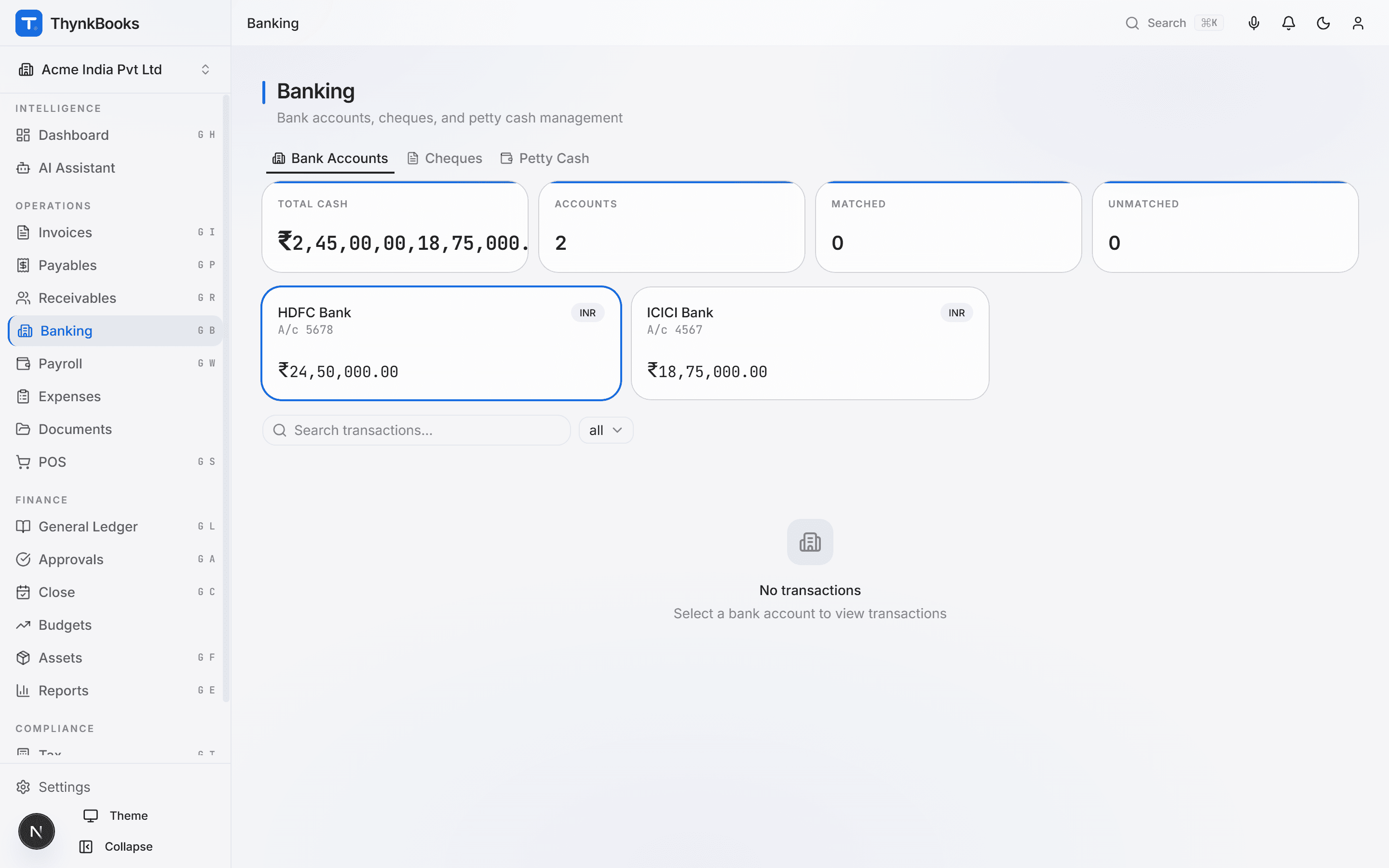
Key Capabilities
Complete banking control
Bank Statement Import
Upload statements in CSV or Excel using built-in presets for major Indian banks, or hand over a scanned or photographed statement for AI-powered OCR extraction. Every import normalises into one transaction list, however it arrived.
Automatic Transaction Matching
ThynkBooks proposes matches between bank transactions and ledger entries by amount, date, and reference, tiered by confidence. Review each suggestion, confirm or correct it, or categorise anything unmatched straight to the right ledger account.
Cheque Management
Track issued and received cheques through their real lifecycle - issued, presented, cleared, bounced, or stopped - with the post-dated cheque date recorded alongside. A bounced cheque automatically reverses its GL entry and reopens the bills or invoices it had settled.
Bank Reconciliation Sessions
Open a formal reconciliation for any account and period against the statement’s closing balance. ThynkBooks checks the ledger balance against it and blocks sign-off until every transaction is matched and the two agree.
Petty Cash
Maintain imprest-based petty cash accounts with configurable limits. Every voucher and fund replenishment posts to the GL against the correct expense head automatically.
Multi-Bank Dashboard
View every bank account’s balance and recent transactions in one place, so you always know your cash position across accounts without switching screens.
Categorisation That Learns From You
For a bank line with nothing to match, ThynkBooks suggests a GL account - first from how you’ve categorised similar narrations before, then from AI reasoning over your own chart of accounts when there’s no history yet. Every suggestion still needs your approval before it posts.
How It Works
Reconcile in three simple steps
Import Your First Statement
Pick your bank’s CSV or Excel preset, or hand over a scanned or photographed statement instead. ThynkBooks reads every transaction into a single list, ready to match.
Match & Categorise
ThynkBooks proposes matches between bank lines and ledger entries by amount, date, and reference. For anything left over, accept its suggested category - learned from your own history - or correct it and move on.
Reconcile & Report
See matched and unmatched transactions side by side, with the ledger-vs-statement balance difference in view at all times. Complete and sign off the reconciliation once everything agrees, ready for the period-close checklist.
Integrations
Your financial hub
Payments from AP, receipts from AR, and expense reimbursements all flow through Banking for reconciliation against your imported bank transactions.
Reconcile smarter, not harder
Import your statements and match transactions in minutes. Free to start.